RazdevaiRazdevai
Video EffectsCustom VideoImage EditorClothes RemoverFace SwapPricing
RazdevaiRazdevaiThe Best AI Porn Generator 2026

© 2026 Razdevai. All rights reserved

AI Porn

AI PornAI NSFW Image to VideoAI Porn Video GeneratorDeepfake Porn

Undress AI

AI Clothes RemoverUndress ToolUndress PhotoAI Undress

AI Porn Generator

NSFW Image EditorFace Swap PornCreate Porn from Photo

Support

PricingPayment GuideRaz-2.0 Prompt GuideContact Us

About

AboutAffiliate ProgramPrivacy PolicyTerms of Service
Video EffectsCustom Video
Image Editor
Clothes RemoverFace Swap
Upload a photo

AI NSFW Image Editor — Uncensored AI Image Editor, No Restrictions

Upload a photo, type the change, and get it back in seconds — an AI image editor no restrictions hold back. Remove objects, swap backgrounds, add details, change outfits or poses. New accounts get free credits for one edit, so you can try this free AI image editor with no restrictions on your own photo.

  • 500K+completed edits
  • 290K+users
  • 14languages

What Is an AI Image Editor With No Restrictions?

Razdevai is an image-to-image AI editor for adult photos: upload one picture, type what should change, and the model edits that picture instead of inventing a new one, so the person stays recognizably the same and the parts you didn't mention usually stay put. It's an unrestricted AI image editor with no filter on adult subject matter: an explicit instruction isn't refused just for being explicit. Two rules still apply, and they're spelled out below. It runs in the browser, so there's nothing to install. Most jobs are small (removing an object, swapping the background, adding a necklace), but you can also change an outfit or try a new pose. If you came looking for an AI porn image editor, this is one, though it's really a general-purpose AI image editor, NSFW included. If all you want is to put a chosen face onto a photo, the separate NSFW face swap tool does just that from two photos, no prompt needed. A finished edit doesn't have to stay a still: one click sends it to image-to-video as the first frame of a clip (video costs more credits than an edit). New accounts get free credits for one edit, so you can test it on your own photo before paying anything.

What You Can Edit: Tested Before-and-After Examples

AI Object Removal for Adult Photos

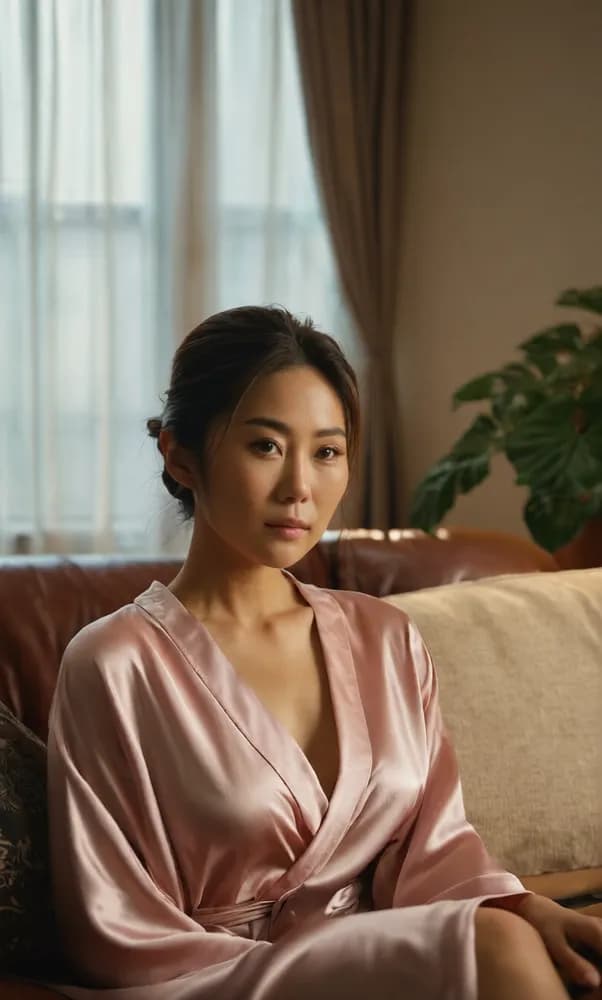
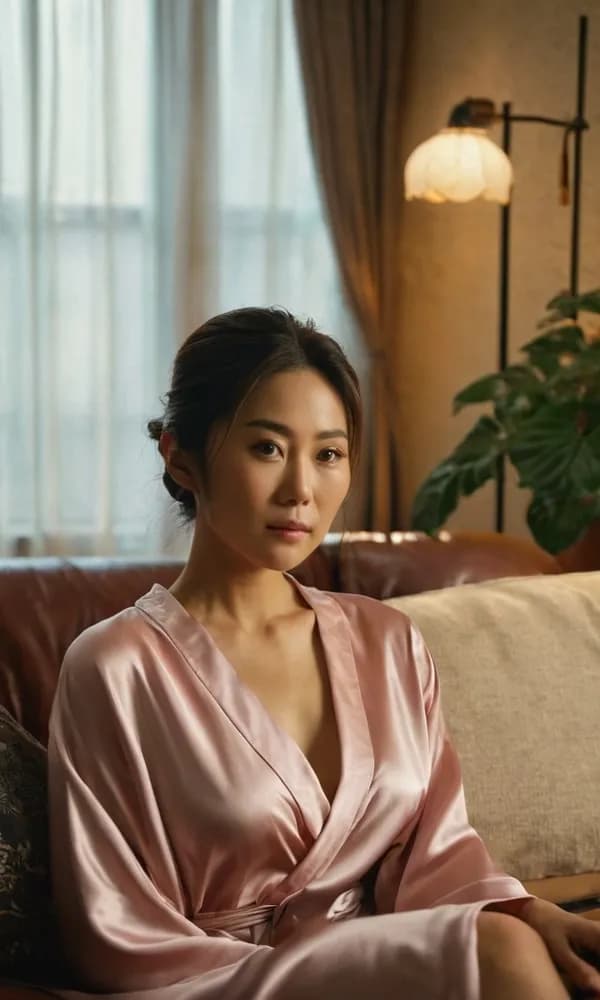
Sometimes one object in the frame pulls the eye away. Name what should disappear ('remove the floor lamp on the right side of the room', 'remove the table lamp on the nightstand') and the model fills that area to match its surroundings, with no masking or clone-stamp work on your side. You can also swap instead of erase: 'replace the table lamp on the nightstand with a lit candle' works as a single instruction. In the example below, the floor lamp is gone and the wall behind it is filled in, while the woman on the sofa stays as she was. A sensible order is to clear the frame first, then change the background, then send the finished still to video.

Before: a woman in a pink satin robe sitting on a leather sofa, with a lit floor lamp and a large plant behind her on the rightBefore
After: the same photo with the floor lamp removed and the wall behind it filled inAfter
Prompt usedRemove the floor lamp on the right side of the room.

Background Change Without a Re-Shoot

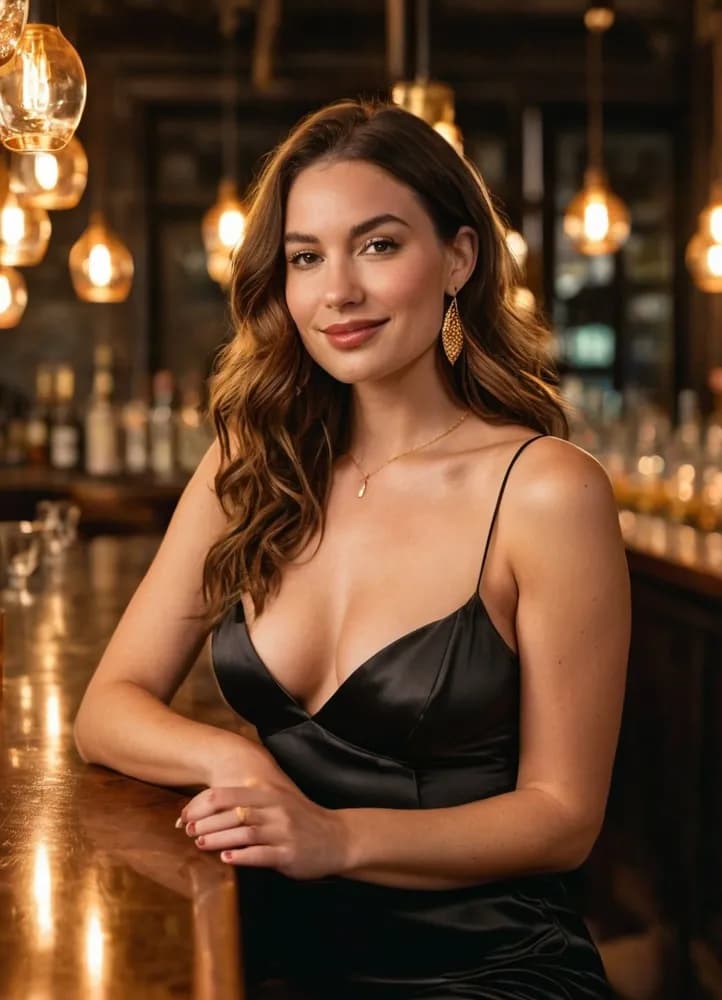
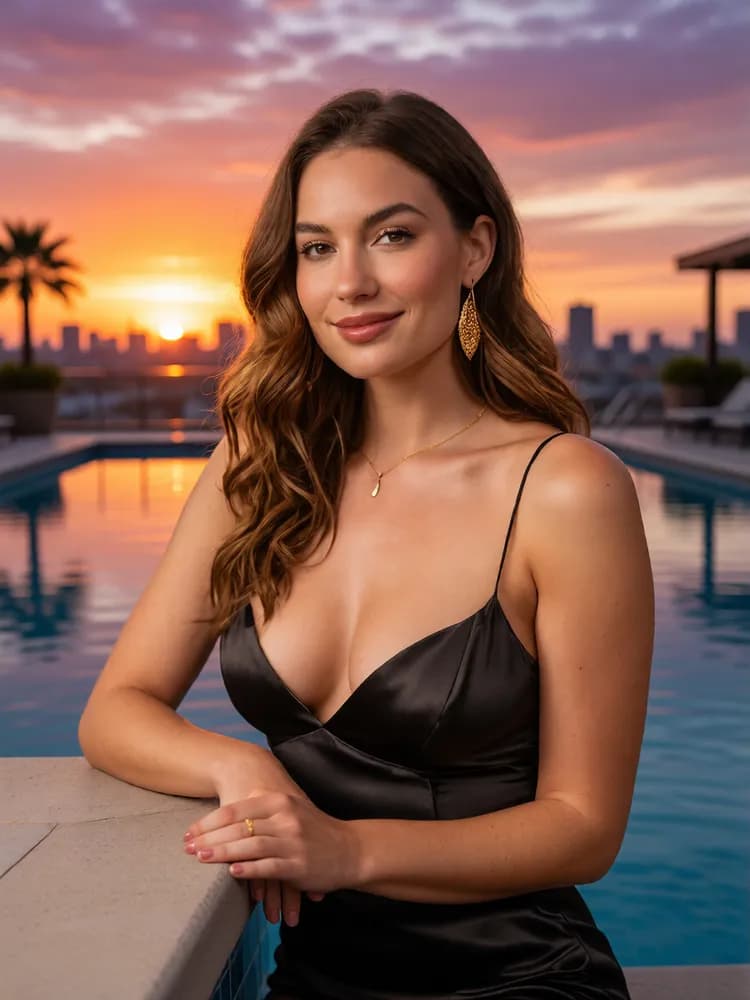
Changing a background used to mean a re-shoot or an hour of pen-tool work. Here it is one sentence: 'move her to a rooftop pool at sunset', 'change the background to a dim hotel room', 'change the background to a photo studio with grey seamless paper'. Adding 'keep her face, hair, body, pose and outfit exactly the same' tells the model what must not move, and the scene is rebuilt around her with the light adjusted to match. In the example below, a woman leaning on a bar counter ends up at a rooftop pool at sunset, with the same face, hair and black slip dress and nearly the same pose. Handy if every shot you have is from the same room, or it's a room you'd rather nobody saw. Combine it with aspect ratio control to frame the result as a wide 16:9 scene for video or a tall 9:16 shot for your phone.

Before: a woman with long wavy brown hair in a black satin slip dress, leaning on a bar counter under hanging lightsBefore
After: the same woman in the same black slip dress, now leaning on the edge of a rooftop pool at sunset with a city skyline behind herAfter
Prompt usedMove her to a rooftop pool at sunset. Keep her face, hair, body, pose and outfit exactly the same.

Adding Details: Text-Driven Inpainting

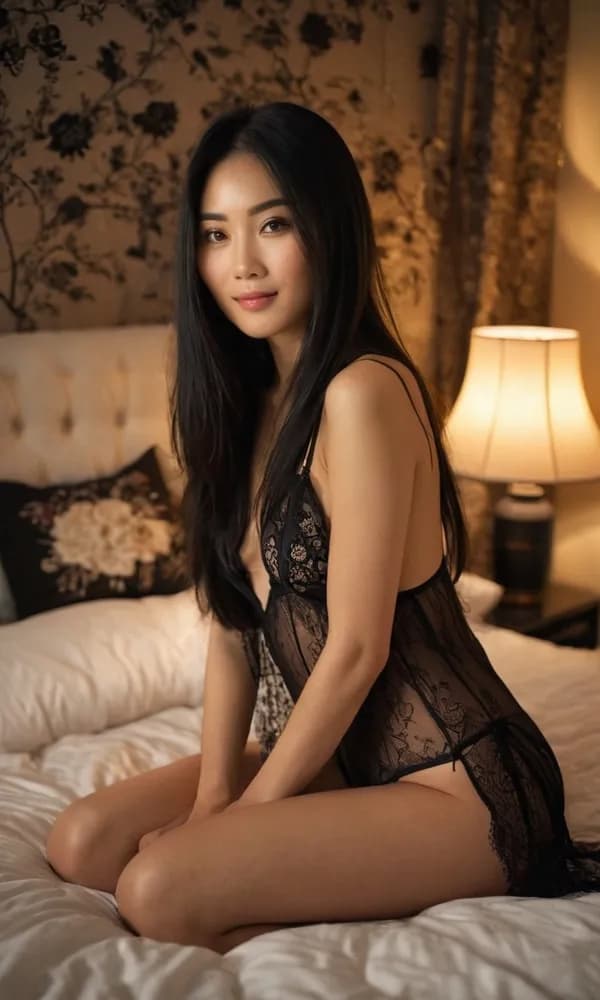
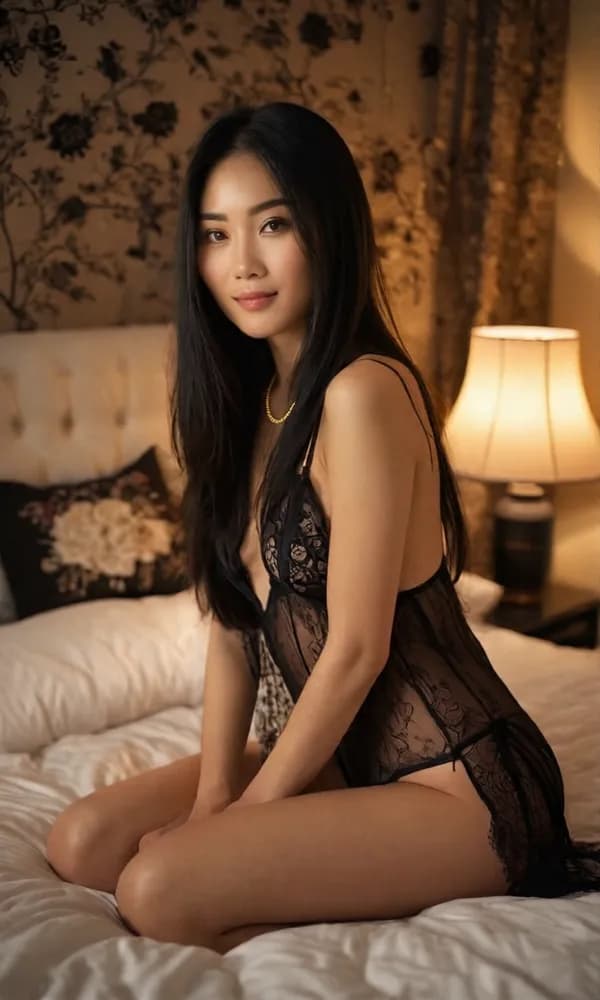
When you only want to add one detail, name it and say where it goes: 'add a thin gold chain necklace around her neck', 'add a small red rose tattoo on her hip', then finish with 'keep everything else exactly the same'. The model paints that detail in and leaves the rest of the image as it was, which is inpainting driven by text instead of a brush. In the example below, the only visible change is a thin gold chain at her neck; her face, hair, lace outfit and the bedroom stay the same. If the detail lands in the wrong place, adjust the wording and run it again.

Before: a woman with long black hair in black lace lingerie, kneeling on a bed next to a lit table lampBefore
After: the same photo with a thin gold chain necklace added around her neckAfter
Prompt usedAdd a thin gold chain necklace around her neck. Keep everything else exactly the same.

Pose Changes, Fully Clothed

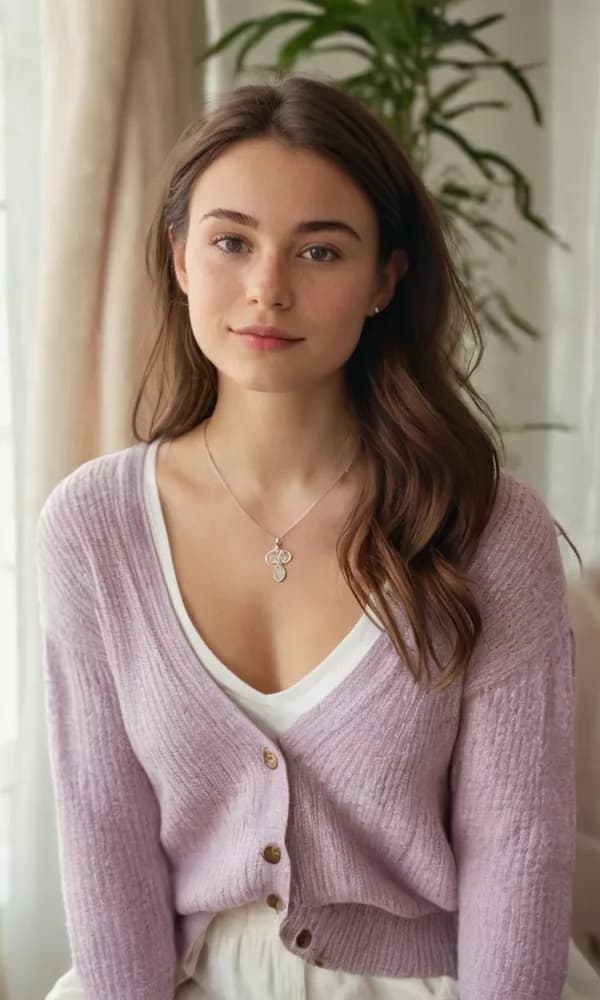
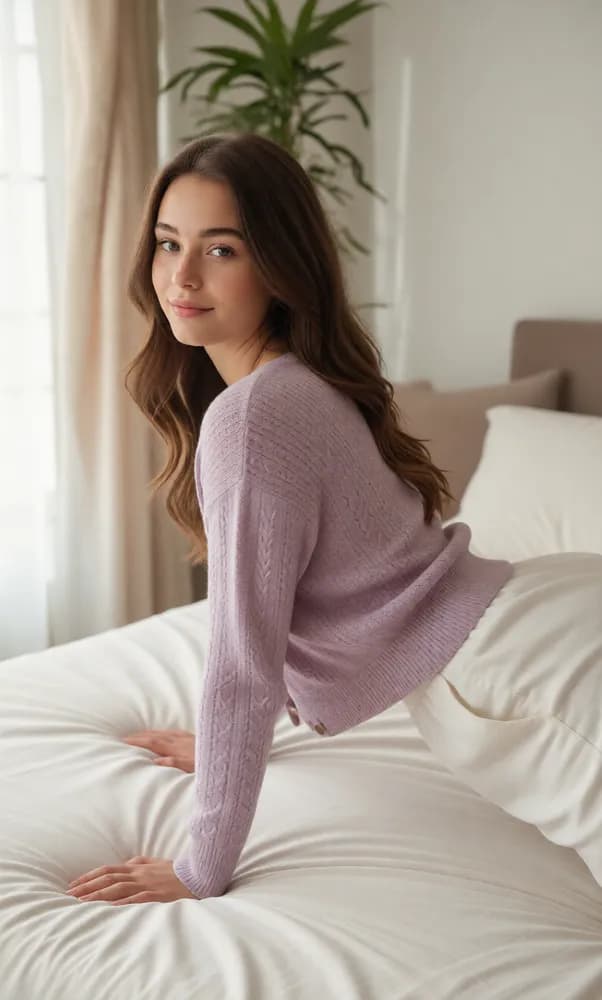
You can also ask for a different pose. Describe the position, such as 'she is on all fours on the bed, looking back over her shoulder at the camera' or 'she lies on her stomach on the bed, propped up on her elbows', then say that her face, hairstyle and outfit stay the same and that she stays fully clothed. In the example below, the result isn't quite all fours: she's leaning forward with both hands on a bed, looking back over her shoulder at the camera. The original photo had no bed, so the model added one, and the knit of her cardigan changed too. Pose changes are the least predictable of these five edits; the pose, the outfit or the room can drift from what you asked for, so expect a few attempts and keep the one you like.

Before: a woman with long brown hair in a lilac cardigan over a white top, by a window with a plant behind herBefore
After: the same woman, still dressed in lilac knitwear, leaning forward with both hands on a bed and looking back over her shoulder at the camera; the bed was added by the editAfter
Prompt usedShe is on all fours on the bed, looking back over her shoulder at the camera. Keep her face, hairstyle and outfit exactly the same — she stays fully clothed.

Uncensored Editing, Built for Adults

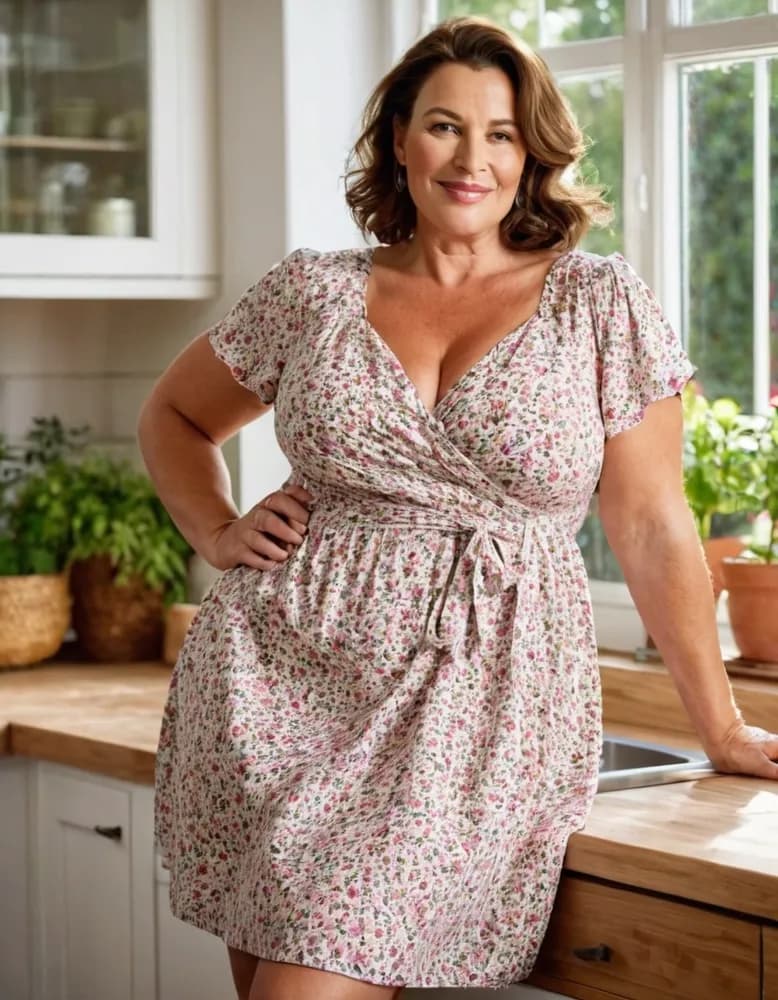
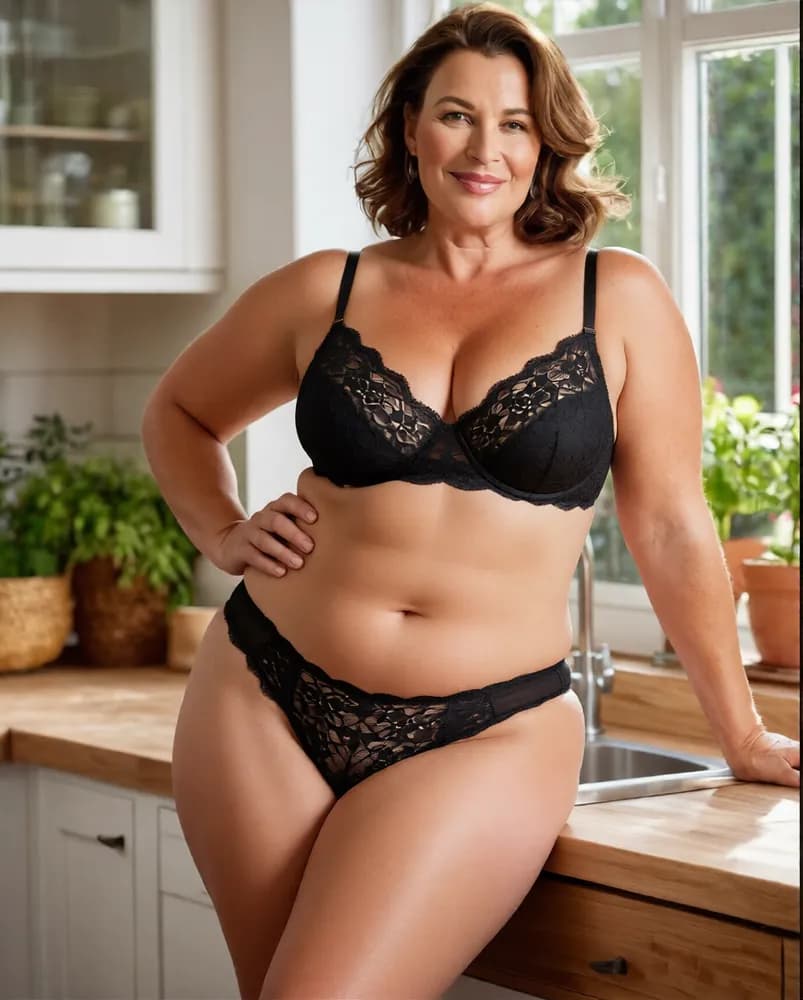
Razdevai is an AI image editor uncensored by design: adult subject matter is an ordinary request here, not a reason to refuse the job. Lingerie, swimwear, boudoir shots and explicit themes are all normal requests, so you describe the edit you want instead of working around a filter. In the example below, one instruction changed only her outfit, turning a floral dress into a black lace lingerie set, while her body and the kitchen around her stayed the same and her pose barely moved; the same kind of instruction works for swimwear too, such as a small string bikini. Uncensored doesn't mean anything goes. Two rules are firm: every person depicted must be an adult, 18+ without exception, and editing a photo of a real person requires that person's consent. Inside those lines, the editor doesn't second-guess your prompt.

Before: a woman with shoulder-length brown hair in a floral wrap dress, standing in a kitchen with one hand on her hipBefore
After: the same woman in the same kitchen, with her floral dress changed to a black lace bra and pantiesAfter
Prompt usedChange only her outfit to a black lace lingerie set — bra and panties, keeping her exact pose and body. Same environment and lighting.

How the Uncensored AI Image Editor Works

1

Upload Your Photo

Drop in any JPG, PNG, or WebP up to 10MB. Uploads are encrypted in transit and auto-deleted after 3 days — nothing lingers on a server.

2

Type Your Edit Instruction

Describe the change in plain language: remove an object, change the background, adjust an outfit, add detail. Prefer not to start from a blank box? Tap one of the prompt examples and tweak it. This is an NSFW AI photo editor with prompt control at its core.

3

Get Your Edited Image

Hit generate and the edited image comes back in seconds. Happy with it? Push it straight into the image-to-video flow, or re-run with a sharper instruction until it lands exactly right.

What You Get With This Unfiltered AI Image Editor

One Prompt, Many Kinds of Edits

You don't pick the edit from a fixed list. You type it instead: remove an object, change the background or outfit, add a detail, try a new pose. One prompt box covers all of it.

Prompt Examples to Start From

Never written an edit prompt? Tap one of the prompt examples (poses, scenes, outfits and more) to fill the box, then change the details to fit your photo.

Aspect Ratio Control

Choose original, square 1:1, portrait 3:4 or 9:16, landscape 4:3 or 16:9. The output matches its destination — a feed, a video frame, or a print layout — without awkward cropping after the fact.

From Edited Image to Video

Every finished edit carries a one-click path into AI image-to-video, and effect toggles are there when a scene calls for them. The photo that started as a still ends up animated — no re-upload, no starting over.

What the Editor Will and Won't Do

Adult (18+) themesSupported. The site is for adults only and asks you to confirm you are 18+ on entry
Changing outfits to lingerie or swimwearSupported
Suggestive poses, fully clothedYou can try; the result may drift from your prompt
Anyone in the image under 18Not allowed, no exceptions
A real person's photo, without their consentNot allowed

Frequently Asked Questions

What is an AI NSFW image editor?

It is a tool that edits an existing photo from a text instruction, with a model that accepts adult subject matter. Instead of fixed sliders or filters, an AI NSFW editor takes your photo as the canvas and your sentence as the operation — remove this, change that, add detail here — then returns the rewritten image.

How is this different from a from-scratch image generator?

A generator creates a picture from nothing but text — text to image. This editor works image to image: it starts from your photo and changes what you ask for, so the person and the parts you don't mention usually stay as they were. If what you want is closer to a nude AI image editor — your own source photo, selectively edited — this page is the right tool; for pure text-to-image creation, use a generator instead.

Is Razdevai free to use?

New accounts get free credits for one edit, so you can try it on your own photo before paying anything; in effect it's a free NSFW AI image editor for your first edit. If you searched for a free AI photo editor online with no restrictions, that is the honest version: one free edit in the browser, nothing to install, paid credits after that.

Are there limits on what the editor accepts?

Two, and they are not negotiable: every person depicted must be an adult, 18+ without exception, and editing photos of a real person requires that person's consent. Beyond that, mature and explicit themes are supported rather than filtered — a prompt is never rejected just because the subject matter is adult.

How do I write a good edit prompt?

Name the change precisely and say what should stay the same. 'Remove the floor lamp on the right side of the room' beats 'make it better', and ending with 'keep everything else exactly the same' helps the rest of the photo stay as it was. If you're stuck, tap one of the prompt examples to fill the box, then swap in your own details. Keep it short and concrete, one change at a time.

What happens to my uploaded photos?

Uploads are encrypted and automatically deleted after 3 days. Given the nature of mature-content editing, that policy is a core feature rather than fine print — your source photo is not left sitting in storage indefinitely.

Does it work on Android and iPhone?

Yes — this is a browser tool, so it behaves the same on mobile and desktop with nothing to install. For anyone hunting an NSFW AI photo editor Android can actually run: open the site in any mobile browser, upload, type, done. iPhone works identically through Safari or Chrome.

What makes this the best NSFW AI image editor in 2026?

Judge that on your own photo, not on our say-so. The case for it: one prompt box handles object removal, background swaps, added details and outfit changes, and the result can go straight to video. New accounts get free credits for one edit, so testing it costs nothing but a signup.

Is this an AI image editor with no restrictions?

On adult subject matter, yes: lingerie, swimwear, suggestive poses and explicit themes are accepted rather than refused, within two rules: everyone depicted is 18+, and real people have consented. "No restrictions" is about what gets refused. It isn't a promise that every edit lands on the first try, and pose changes in particular can take a few attempts.

What does "uncensored AI image editor" mean here?

It means an uncensored AI photo editor in the plain sense: a prompt isn't rejected because the subject is adult. You can move someone to a new background, remove an object from the room, add jewelry or a small tattoo, change an outfit to lingerie or a bikini, or ask for a new clothed pose. The examples above show one of each, with the exact prompt used.

Can I use it as an NSFW AI photo editor?

Yes. Upload a photo and describe the change in a sentence: remove an object, move the scene to a rooftop pool or a dim hotel room, add jewelry or a small tattoo, swap a dress for a black lace lingerie set or a string bikini, or ask for a suggestive pose. There's one prompt box rather than a fixed menu of permitted edits, which is what an AI image editor with prompt control and no restrictions on adult themes looks like in practice. Results vary from edit to edit, and pose changes drift the most, so if one misses, rephrase it and run it again. It runs in the browser on phone or desktop, and your first edit is covered by the free signup credits.
Related Tools

AI Porn — All Tools →

Generate AI porn with all our neural networks in one place

AI Porn Video Generator →

An uncensored NSFW AI video generator that runs right in your browser — pick a template scene or write your own prompt, and watch a single photo become an AI porn video within minutes.

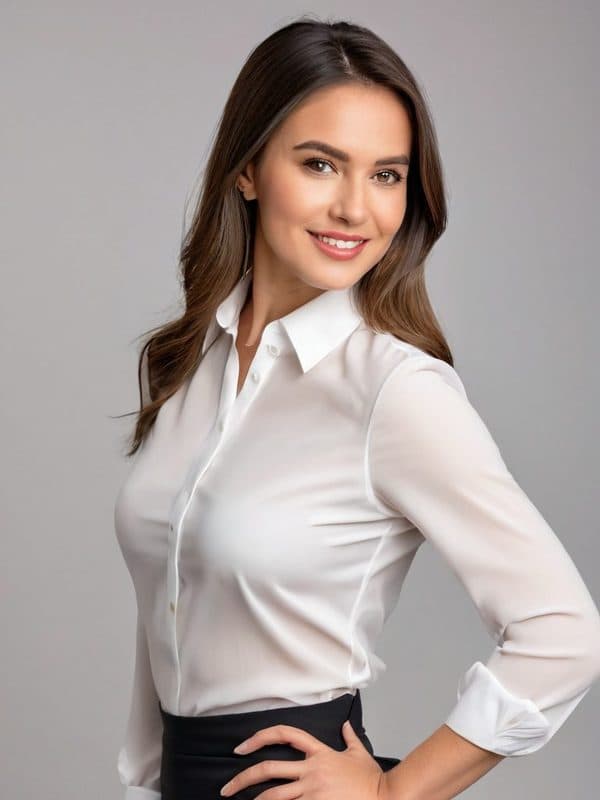
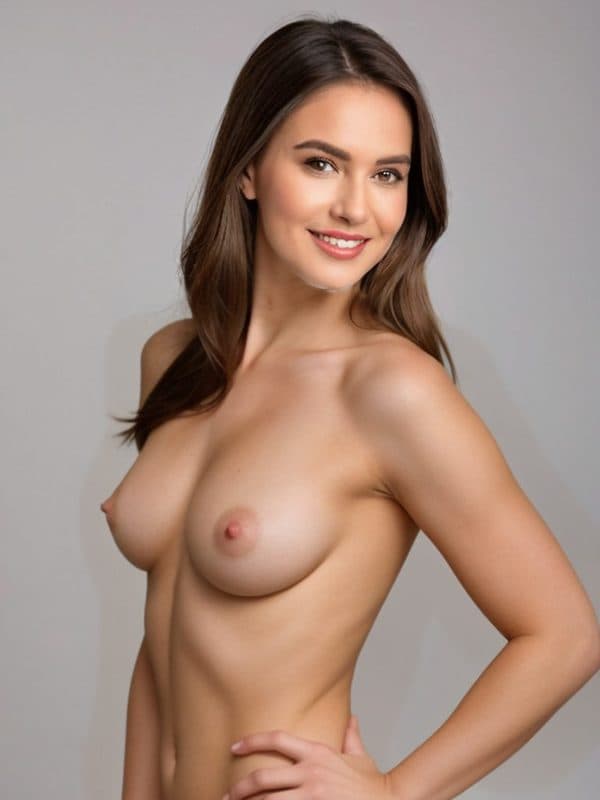
AI Clothes Remover Porn — beforeAI Clothes Remover Porn — after

AI Clothes Remover Porn →

Remove clothes from any photo in one click — a fast, private clothing remover that runs right in your browser. Encrypted uploads, automatic deletion, and free trial credits to start.

AI Face Swap Porn — NSFW Face Swap & Head Swap for Photos — beforeAI Face Swap Porn — NSFW Face Swap & Head Swap for Photos — after

AI Face Swap Porn — NSFW Face Swap & Head Swap for Photos →

Upload a clear face photo and a single-person target photo, pick Only face or Whole head, and the AI blends them into one adult image, right in your browser. Signing up gets you one free face swap porn edit, so you can see the result before you pay. Photos only, no video. Uploads are encrypted, and everything is deleted after 3 days.

Try the Free Uncensored AI Image Editor

Upload a Photo & Start Editing